







Container transport runs on handovers and timing: terminal to truck, truck to ship, ship to port, port to customer, and back to depot. One missed terminal slot, a release that is not actually confirmed, a delayed customs declaration, or a port booking that slips through the cracks can throw your whole day off track – and cost you hours you simply don’t have.
A smooth operation isn’t just about good planning. It’s about the systems behind it. If your team is jumping between portals, rekeying the same information, and double-checking releases across multiple systems, that’s time (and margin) leaking away.
The problem is not a lack of planning. It is fragmented information in disconnected systems. If release data sits in one portal, customs progress somewhere else, and proof in the driver app, your team ends up switching screens, rekeying the same details, and making dispatch decisions with incomplete information.
Investing in the right setup now can save you hours – even days – down the line. And a big part of that comes down to how your integrations are configured inside your transport management system (TMS)… or how you’re coping without one.
Key integrations that matter to container operators
Connectivity matters to every transport operator, but for container specialists, it’s critical. In Blog 2 of our container series, we talked about the sheer admin strain behind container movements where planners are forced to switch between portals. There are so many moving parts – and bringing as many of them as possible into one connected workflow is one of the fastest ways to regain control and visibility.
On top of telematics, order visibility, ERP, and accounting integrations, container operations rely on a few highly specialised connections to keep cargo moving.
Typically, port and terminal integrations matter most.
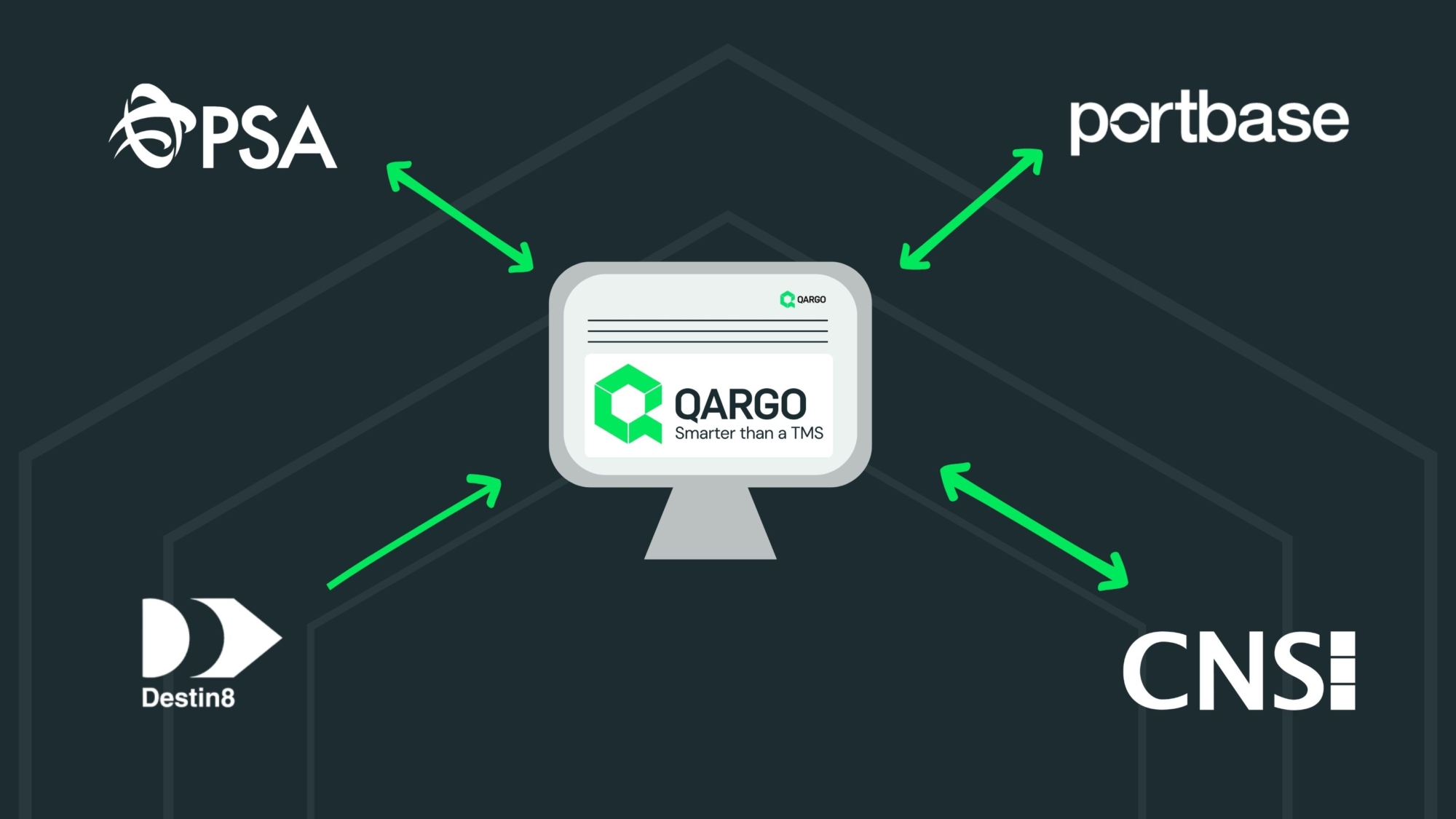
Qargo’s integration partners cover this key feature set. And unlike many TMS providers, we’re transparent about what each integration actually includes – and how the data flows between systems.
Let’s break it down.
How Qargo Works With Each Integration Partner
Qargo connects directly to the systems container operators depend on, so your planners can manage everything from a single tab instead of juggling portals, emails, and phone calls.
Here’s how it works across the key touchpoints in a container’s journey.
Port & Terminal Integrations
Portbase
Portbase connects the Port of Rotterdam and Port of Amsterdam – and many other terminals – to the hauliers that serve them. Through Qargo’s native integration, your team gets direct access to container status and pre-notification workflows without leaving the TMS.
What you can do from Qargo:
- Check container status – request the latest handling status for any container at a Portbase-connected terminal, so your planners always know whether a container is ready for collection.
- Pre-notifications workflows – create visits and pre-notifications from within the order workflow. Confirmed timeslots and TAR codes are returned to the planner. No more switching to the Portbase portal.
- Handle Secure Chain shipments – manage Secure Chain pickups and delegation flows inside Qargo, including tracking the Secure Release identifier so your team can verify pickup authority at a glance.
Destin8
Destin8 is the messaging backbone of container status across UK ports. Qargo processes Destin8 status messages, keeping your orders updated as containers move through the port workflow.
What you can see from Qargo:
- Release changes – know the moment release information is amended, so you can act on updated pickup instructions immediately.
- Customs milestones – customs clearance status can be reflected in the job, when they are provided through status messaging. No need to check a separate system to confirm it’s good to go.
- Vessel landing – see when a container has been discharged from the vessel, including flags for short-landed or over-landed cargo.
- Out-gate confirmation – confirmation when a container moves through the terminal gate. Your planner knows; your driver knows.
Qargo also supports the wider EDIFACT message set, covering container announcements, release orders, pre-notifications, gate activity, and load confirmations – giving your team a complete picture of what’s happening at the port.
CNS (Community Network Services)
CNS is a UK Port Community System (PCS) provider used by DP World Southampton and DP World London Gateway to expose container-level milestones to hauliers. Through Qargo’s native integration, those milestones are pulled automatically from the CNS Container Enquiry API and surfaced directly inside your planning workflow – no portal login required.
What your team gets from Qargo:
- Automatic container status updates – milestone data syncs roughly every 15 minutes in the background, with no manual trigger needed. Your planners always have a current picture of where each container stands.
- Live terminal progress – container stage is tracked from arrival through to gate-out, covering key milestones including: awaiting arrival, on quay, in yard, planned, loaded, frustrated, and gone (gate-out).
- Customs cleared indicator – the integration flags whether a shipment has cleared customs, so your team can confirm it’s good to go without checking a separate system.
PSA
PSA Antwerp operates one of Europe’s largest container terminals, with digital services for pre-registrations and truck appointment workflows. With Qargo’s PSA Antwerp (MPET) integration, key booking details and terminal status updates can be centralised directly in your planning workflow, so planners spend less time jumping between tools and more time executing the plan.
What you can do from Qargo:
- Book and manage terminal moves – create, update, and manage container movements at PSA terminals directly from Qargo, without re-keying data in separate portals.
- Sync slot and pre-registration details – keep pick-up, delivery, and booking details aligned, including pre-registrations and slot information, so planners and dispatch stay in sync as plans change.
- Track gate and handling progress – bring core terminal signals (including gate statuses and port communications) into Qargo so your team can spot delays earlier and plan around real terminal progress.
- Reduce manual admin – import jobs and EDI data to eliminate repetitive order entry, helping teams avoid errors and save hours each week.
The Qargo difference: one connected workflow
Each integration is powerful on its own. But the real efficiency gain comes from having them all embedded inside one connected workflow.
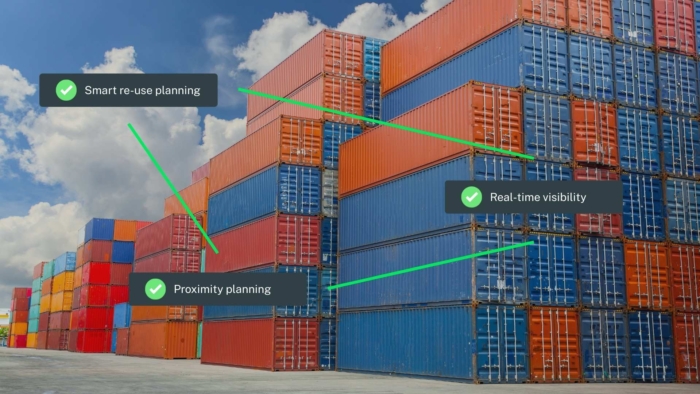
Your integrations live inside your TMS – not in separate portals. Port and terminal statuses sit directly within your planning flow. Release and handling signals, where available, show up where planners make decisions, helping reduce failed collections, last minute replanning, spot reuse opportunities, and time lost to chasing updates.
And it doesn’t stop at operations.
Qargo Intelligence (Qi), our AI engine, reduces admin by automating repetitive tasks. Qi can:
- Pre-fill order fields using data from emails and PDFs
- Extract key information from scanned documents
- Auto-generate invoices based on the relevant documentation
From port to invoice, Qargo connects planning, execution, proof, and billing in one place.
Real impact for container operators
So what does this actually mean for your day-to-day operation?
It means:
- Less time in portals, more time planning
- Fewer failed collections
- Reduced manual rekeying
- Lower risk of costly human error
- Better visibility across every movement
Instead of navigating disconnected systems, your team works from one streamlined platform – with everything connected behind the scenes.
Ready to simplify your container operations?
If you’re tired of juggling portals and want to see what a fully integrated workflow looks like in practice, book a demo with Qargo today.